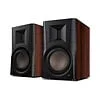
 View all



 View all










Streamer or amplifier: which does your audio setup need?


Before adding a new box to your system, write down what you already own: the speakers, amplifier or receiver, and the source you want to listen to. That simple inventory helps separate a missing feature from equipment you already have.
A streamer adds a source
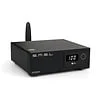
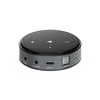
A network streamer brings supported streaming services or network audio into a compatible sound system. It does not necessarily include a speaker amplifier. WiiM, for example, explicitly describes the WiiM Pro as a streamer that connects to powered speakers or to an amplifier or receiver used with passive speakers.
An amplifier drives passive speakers
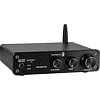
If you have passive speakers, you need a suitable amplifier in the system. A streaming amplifier combines amplification and streaming in one unit; WiiM describes its Amp as a device for passive speakers. Check the exact model’s speaker requirements and connections instead of assuming every streamer has speaker outputs.
Choose the route that fits your equipment
- Existing amplifier and passive speakers: look at whether a streamer can connect to an available input.
- Powered speakers: check their inputs and the streamer’s outputs; a separate speaker amplifier may not be needed.
- Passive speakers without an amplifier: compare a suitable integrated or streaming amplifier with a separate streamer-and-amplifier setup.
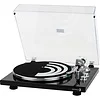
The connection must match at both ends. Photograph the rear panels of your equipment and note which inputs are already occupied. Also list the services and sources you want to use, such as a TV or turntable, so you can check each requirement against the manufacturer’s documentation.
Make a connection checklist
Compare the required inputs, supported services, volume-control arrangement and any adapters or cables before ordering. Features vary between models and can change with software updates. If you are unsure, send us the model names and rear-panel photos and tell us what you want the system to do.
Explore home audio → · Check your setup with our team
Manufacturer references
WiiM Pro: streamer connection examples and WiiM Amp: streaming amplifier overview.